
Warning 8/16/2025 7:24:04 PM Kernel-PnP 225 (223)
Log Name: System
Source: Microsoft-Windows-Kernel-PnP
Date: 8/16/2025 7:24:04 PM
Event ID: 225
Task Category: (223)
Level: Warning
Keywords:
User: SYSTEM
Computer: jujube
Description:
The application \Device\HarddiskVolume3\Windows\System32\dllhost.exe with process id 9176 stopped the removal or ejection for the device USB\VID_174C&PID_55AA\MSFT30123458DB27C1.
Process command line: C:\Windows\system32\DllHost.exe /Processid:{DFB65C4C-B34F-435D-AFE9-A86218684AA8}
List of affected devices:
Event Xml:
225 2 3 223 0 0x8000000000000000 699231 System jujube 9176 52 \Device\HarddiskVolume3\Windows\System32\dllhost.exe 40 USB\VID_174C&PID_55AA\MSFT30123458DB27C1 81 C:\Windows\system32\DllHost.exe /Processid:{DFB65C4C-B34F-435D-AFE9-A86218684AA8} 0


dllhost.exe?It’s the COM Surrogate process in Windows.
Runs COM objects outside the main process for stability (if the COM object crashes, it won’t take down Explorer).
Commonly used by Explorer to generate thumbnails, previews, and metadata (especially for videos, images, Office docs, PDFs, etc.).
So if your USB contains pictures, videos, or documents, Explorer may spawn
dllhost.exe to read the files → and this keeps the drive “busy,” blocking ejection.Preventive Fixes
Disable thumbnail previews (since
dllhost is often generating them):Why dllhost.exe Stays Alive After Explorer is Closed
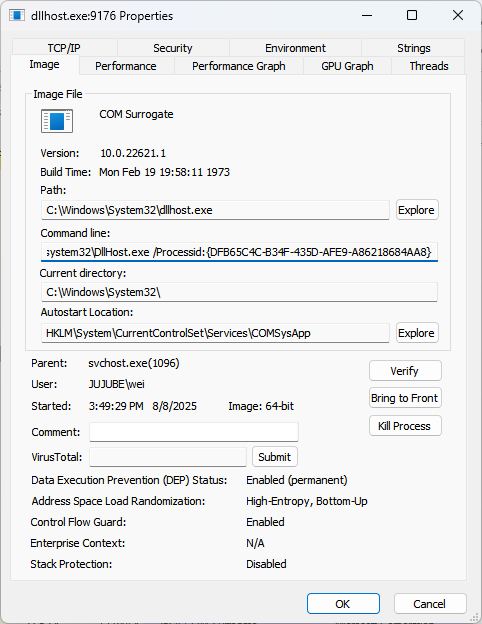

InProcServer32 → the DLL actually being loaded.AppID (Application ID) → groups one or more CLSIDs under a logical “application” for COM security and activation. It doesn’t always have a friendly name.
HKEY_CLASSES_ROOT\CLSID
HKEY_LOCAL_MACHINE\SOFTWARE\Classes\CLSID
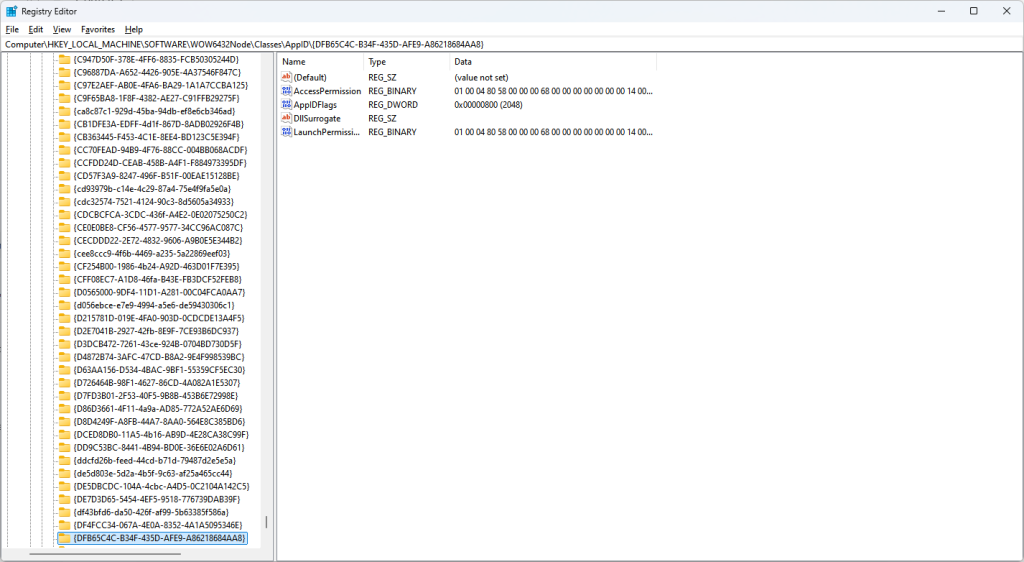
“Plan9FileSystem” in Windows?
- It’s a COM object built into Windows.
- It comes from Microsoft’s support for WebDAV / cloud-backed storage, based on the Plan 9 distributed file system protocols.
- In practice, this handler gets invoked when Windows Explorer or a background service (like OneDrive, WebDAV, or remote filesystem support) needs to read metadata from files.
- It runs inside
dllhost.exe(COM Surrogate)
Shutting down WSL allowed me to safely remove the drive
You can try the following: open \\wsl.localhost\<linux_dist>\etc\wsl.conf and add the following:
[automount]
enabled = false
Reference: https://learn.microsoft.com/en-us/windows/wsl/wsl-config#automount-settings